Gutenslider 7 is the biggest update the plugin has had: a new editor, a front end without jQuery, 26 new effects, video slides from any link, a new lightbox and more ways to lay out a slide. Many features that were Pro are now in the free plugin. Sliders you built with 5.x and 6.x keep working: update, and they look as they did.
Every section below says what is in the free plugin and what is new in Pro. The free plugin has no watermark, no account and no trial. Pro adds effects and options on top, and a slider built with Pro never breaks when a license ends.
At a glance
| New in 7 | Free | Pro |
|---|---|---|
| Editor with live arrows and dots, Preview button | ✓ | ✓ |
| Front end without jQuery, no layout shift | ✓ | ✓ |
| 6 shaped effects and 20 WebGL transitions | ✓ new | |
| Video slides from YouTube videos, playlists and video files | ✓ new | ✓ |
| Video slides from YouTube channels, Vimeo, Dailymotion, TikTok | ✓ new | |
| Lightbox that grows out of the photo, also for Image blocks | ✓ new | ✓ |
| Lightbox thumbnails, full-view zoom, captions, own colors | ✓ new | |
| Content width, blocks below or above the image | ✓ new | ✓ |
| Random order, text arrows | ✓ new | ✓ |
| Animated dots, arrows next to the blocks | ✓ new | |
| Media Library videos, overlays, shape dividers, all 11 arrow styles, 8 slides in view | ✓ was Pro | ✓ |
26 new effects
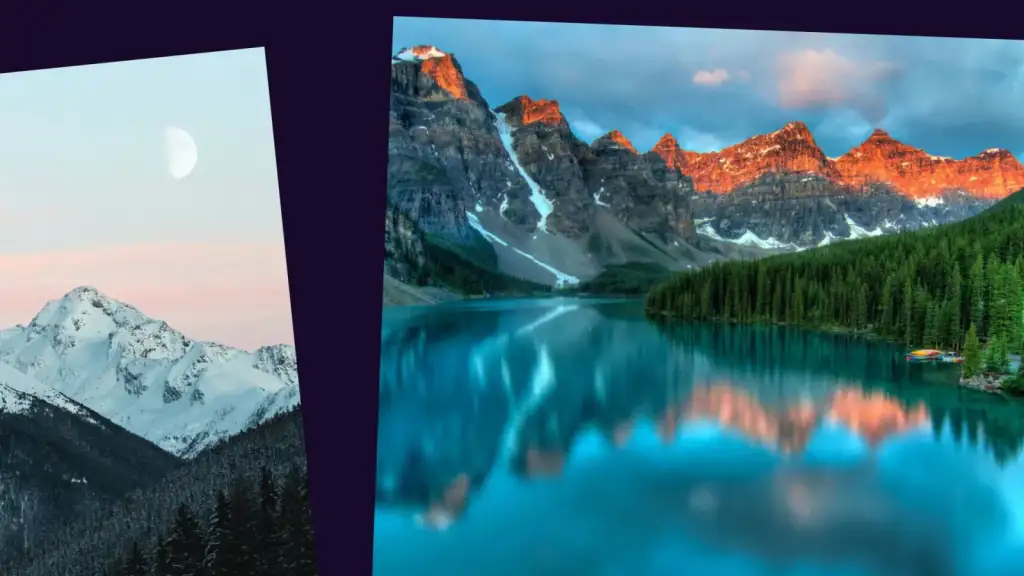
Free: Slide and Fade, with loop, a centered active slide, autoplay and pause on hover.
New in Pro: six shaped effects. They work with one slide or several in view, without WebGL.
- Morph: the slides beside the active one shrink into rounded cards and fade their text; the active one grows back to full size.
- Parallax: the photo moves slower than its slide and zooms and dims as it leaves; the text moves faster.
- Tilt: the neighbours turn away in 3D, like frames on a curved wall.
- Fan: the neighbours drop and tip away along an arc, like cards in a hand.
- Stack: a deck. The next slide slides in over the active one, which shrinks and darkens underneath.
- Reveal: the next slide opens as a growing circle over the active one.
New in Pro: twenty WebGL transitions. The photos blend into each other on the graphics card.
- Liquid
- Displace
- Ripple
- Warp
- Swirl
- Kaleidoscope
- Lens
- Fluted glass
- Zoom
- Push
- Fold
- Wind
- Burn
- Pixelate
- Mosaic
- Blocks
- Glitch
- Signal
- Datamosh
- Chroma
With “reduce motion” turned on in the visitor’s system, the effects become a plain crossfade. The 3D effects Coverflow, Cards, Cube and Flip stay in Pro. Try them all on the examples page.
Video slides from any link
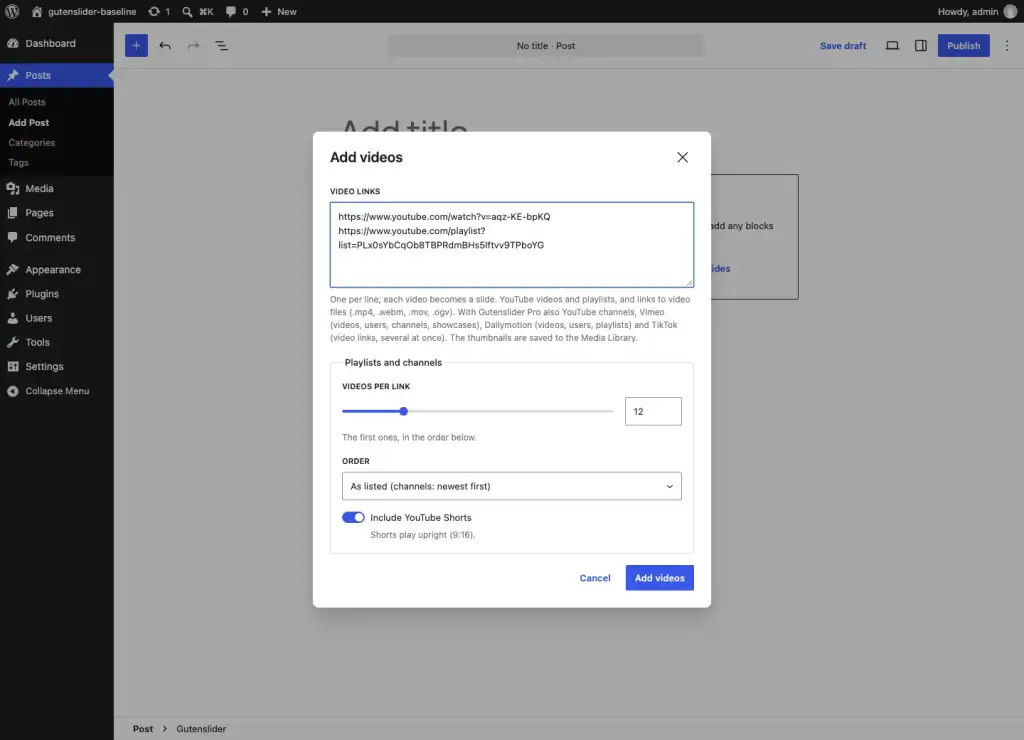
Paste links in “Add videos” and every video becomes a slide, with its thumbnail saved to the Media Library as the poster.
Free:
- YouTube videos and playlists, and links to video files (.mp4, .webm, .mov, .ogv)
- Per link: 1 to 50 videos, in the listed or reversed order, with or without YouTube Shorts (they play upright)
- “Play videos when their slide shows”, for the whole slider or one slide, and one sound for all videos of a slider: unmute one, the others follow
- A player loads only for the slide on screen and pauses when the slide leaves; the slider’s autoplay waits for a playing video
- YouTube plays from youtube-nocookie.com
- On phones the arrows and dots fade while a video plays, out of the way of the player’s controls
- Videos from the Media Library with loop, mute, pause when inactive, poster and focal point (these were Pro in 6.x)
New in Pro: YouTube channels (@handle), Vimeo (videos, users, channels, showcases), Dailymotion (videos, users, playlists) and TikTok videos. Vimeo plays with “do not track”.
A new lightbox
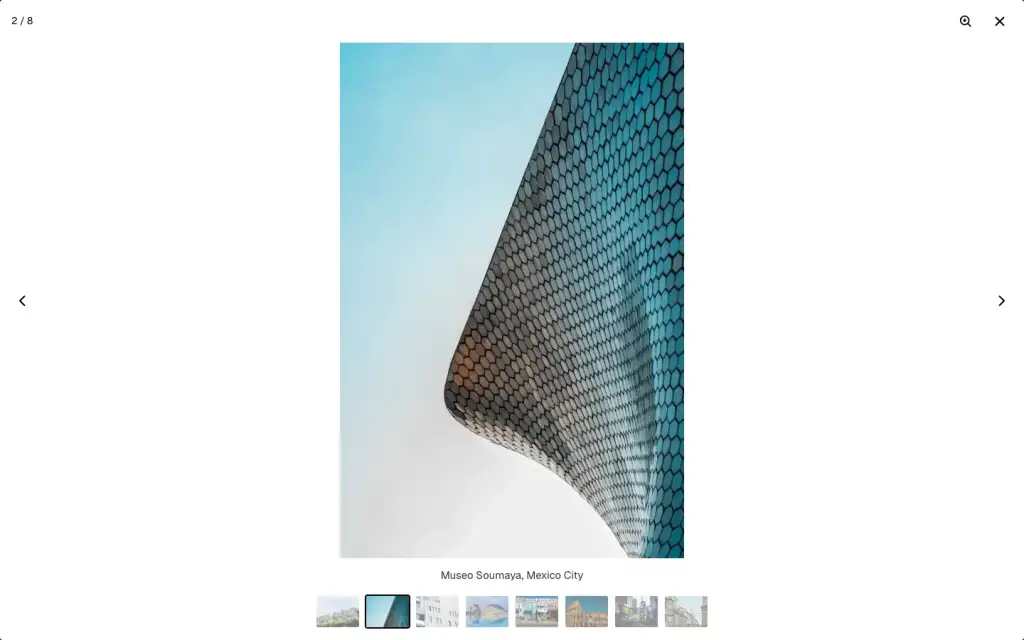
Free:
- Built on the browser’s own
<dialog>: the photo grows out of its place on the slide - Arrows, keys, swipe, a counter, and a light or dark look; focus returns to the slider when it closes
- Image and Video blocks on the slides open in it too, in slide order with the backgrounds
- “Link images to the file”, for lightbox plugins that open linked images
New in Pro: thumbnails, captions from the image’s title, caption, description or alt text, a fade opening, your own colors, and zoom: a full view of the photo, where a click zooms in where you click.
More ways to lay out a slide
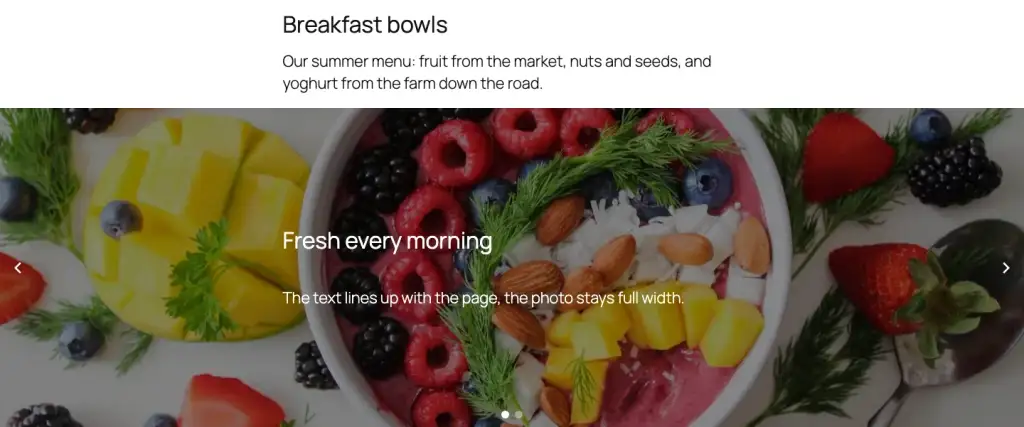
Free:
- Content width: in a full-width slider the blocks line up with the theme’s wide or content width, like the header and the text of the page, while the photo stays full width. See the example
- Blocks below or above the image instead of on it; the image keeps its height, and arrows and dots stay on it
- Random order: the slides are shuffled on each visit, also on cached pages, before the first one shows
- Text arrows: “Previous” and “Next” in the site’s font
- Content position for all slides at once, automatic captions from the Media Library, color and gradient overlays, shape dividers (15 shapes), all 11 arrow styles, space between slides and up to eight slides in view; several of these were Pro in 6.x

New in Pro: arrows next to the blocks when they sit below or above the image, animated dots (a pill that slides along, or lines that fill with the autoplay time), and arrows that follow the pointer.
A new editor
Free and Pro:
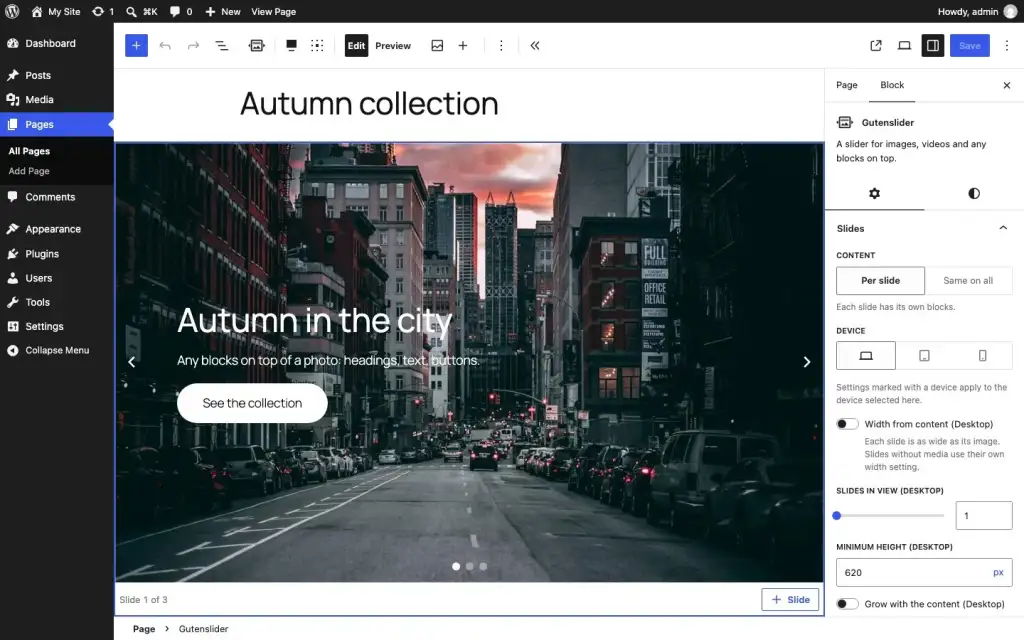
- The slider in the editor looks the way it looks on the page; its arrows and dots page through the slides while you edit
- The Preview button runs the real slider, with its effect and autoplay, right in the editor
- The device switch in the settings follows the editor’s preview device; the content position is a 3 × 3 matrix in the toolbar
- The first click on a slider selects the slider, the next one the slide
- Turn a Gallery, Image or Cover block into a slider, and a slider back into a Gallery
A faster front end
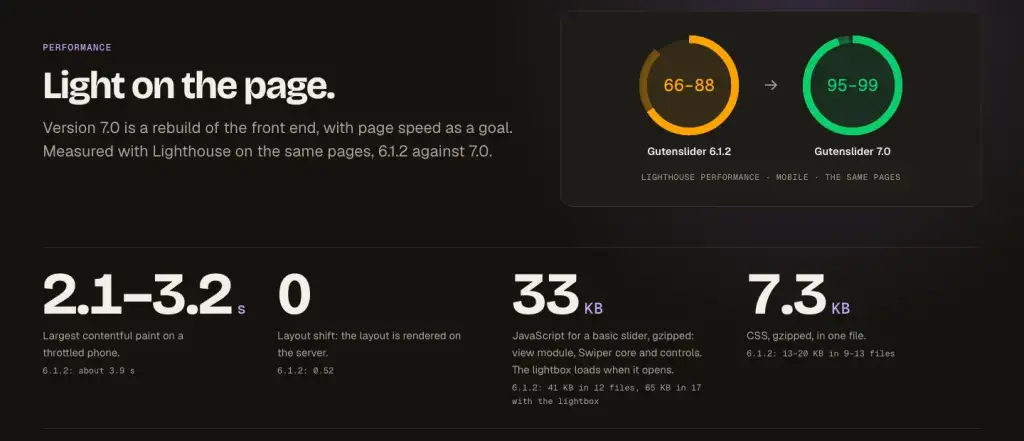
Free and Pro: 7 drops jQuery, lightGallery and the parallax library. The slider script loads when a slider comes near the screen, with only the parts that slider uses. The layout is rendered on the server, so nothing jumps when the script arrives, and the first image loads with high priority while the rest wait. All CSS is one file of about 7 KB gzipped.
On the same test pages, mobile Lighthouse went from a performance score of 66–88 with 6.1.2 to 95–99 with 7.0. The largest contentful paint dropped from about 3.9 s to 2.1–3.2 s, and the layout shift from 0.52 to 0. Autoplay, parallax and the WebGL transitions respect “reduce motion”.
Pro and pricing
Pro now comes monthly or yearly, for one site, up to three sites or unlimited sites, from $2.99 a month; there is also a lifetime license. If you already have a license, it works with 7 as it is, and your subscription keeps the price you signed up with. Sliders built with Pro never break when a license ends. See Pro and pricing.
Updating from 6.x
The block names, every saved setting and the front-end class names stay the same. Old sliders open in the new editor without “Attempt recovery”: 27 migration tests check every saved setting of content from 5.x, 6.x and 7.0. If you use custom CSS for lightGallery or JavaScript on the Swiper instance, read Migrating from 6.x to 7.0 first. As with any update, back up the site before you start.
Gutenslider 7 needs WordPress 6.6 or newer and PHP 7.4 or newer. Getting started covers the install; the changelog lists every change.
Bug fixes
Since 7.0 came out, these were fixed:
- Photos chosen in the Media Library or uploaded into a new slider become image slides; in 7.1.0 they turned into empty video slides
- In a looped slider with few slides, the copies the loop shows after the last slide take clicks again: the lightbox opens the right photo, and links and video controls work
- Arrows that follow the pointer (Pro) show again
- When YouTube briefly fails to send a playlist, the newest videos are kept for 10 minutes instead of an hour
- Replacing a slide’s image in the editor shows the new image, not the next slide
- “Width from content” works with loop, and on one device only, without a layout shift
- Dots at the side are centered and clear of the arrows; dots on the right and the progress bar sit at the right
- Arrows next to the blocks stay readable on light backgrounds; text arrows get a soft shadow on photos
Thank you
Many of the changes come from your reports and requests in the support forum. Thank you for your patience while 7 was in the making. Questions or problems: the support forum, or email for Pro users.