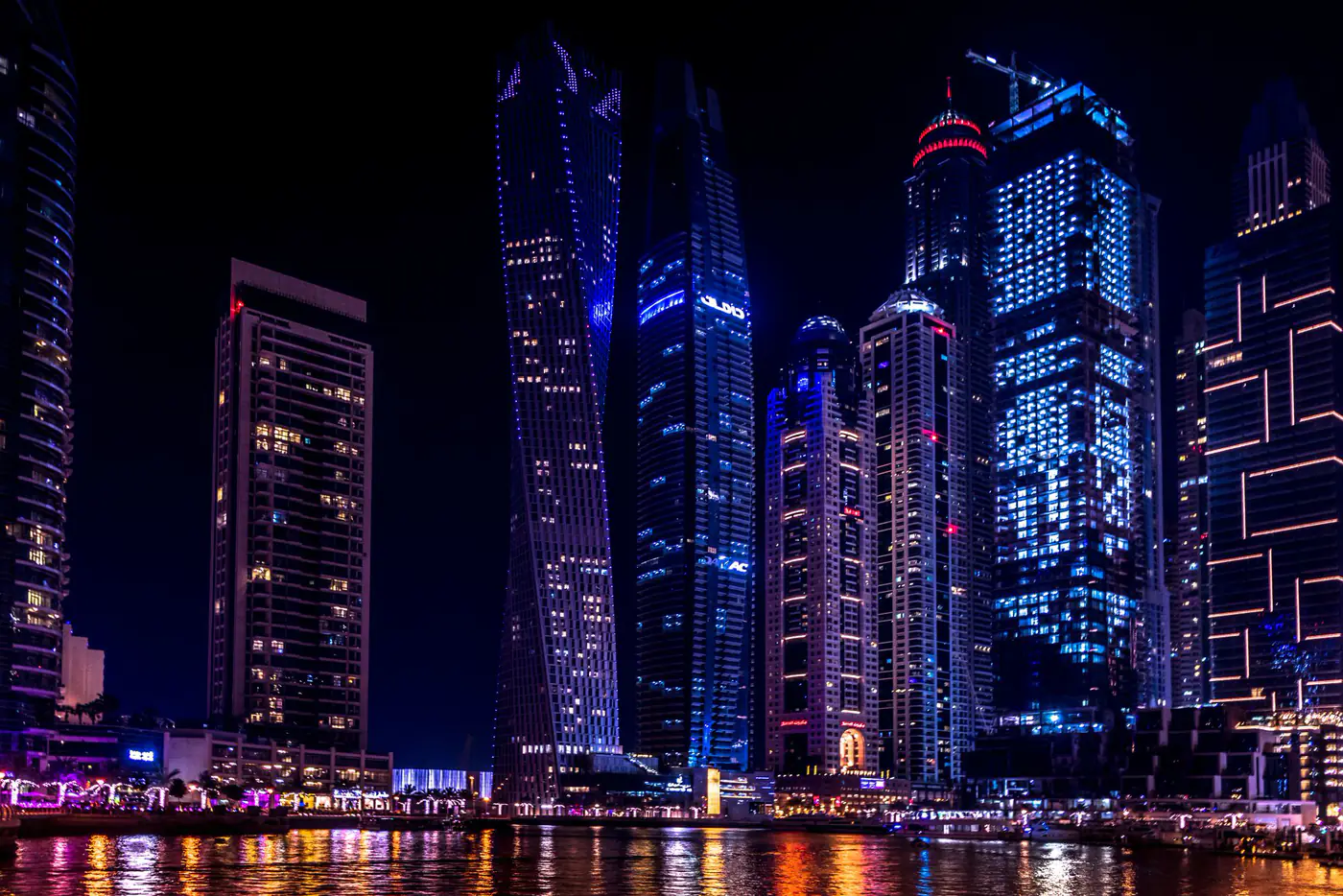




This is a live Gutenslider: fixed content over five photos that fade. How it’s set up →
Live examples
Every slider on this site is Gutenslider.
This carousel has three slides per view on desktop, two on tablets and one on phones. It plays by itself and pauses while the pointer is on it; swipe it, or use the arrows. Click a photo and it opens in the lightbox. How it’s set up →






- Hero & fullscreenHeadline over a photo series.
- Carousel + lightboxThree per view; the lightbox grows out of the image.
- TestimonialsQuotes on color slides.
- Content sliderText and image per slide.
- Video & YouTubeMuted loops, a YouTube playlist, or video from any link.
- EffectsSlide and fade, 3D, shaped and WebGL transitions.
What it does
A slider you build in the editor you already use.
No separate slider screen and no shortcodes: the slider is a block, and each slide is a container for more blocks. The editor shows the slider styled as the page shows it, and the Preview button runs the real slider, effect and autoplay included, right in the editor.
1
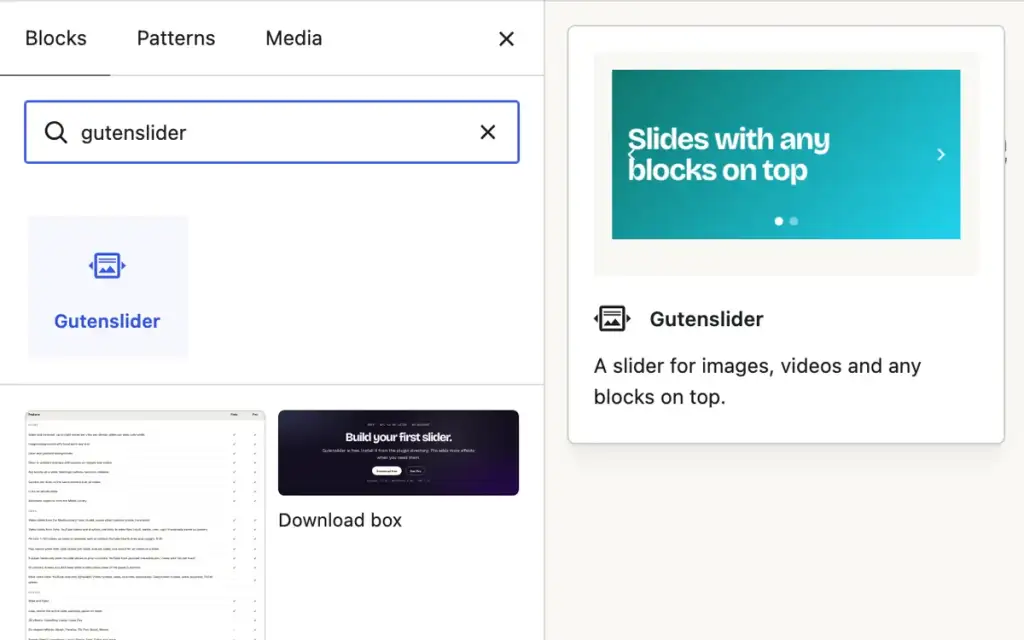
Add the block
Insert “Gutenslider” like any other block, in posts, pages or templates.
2
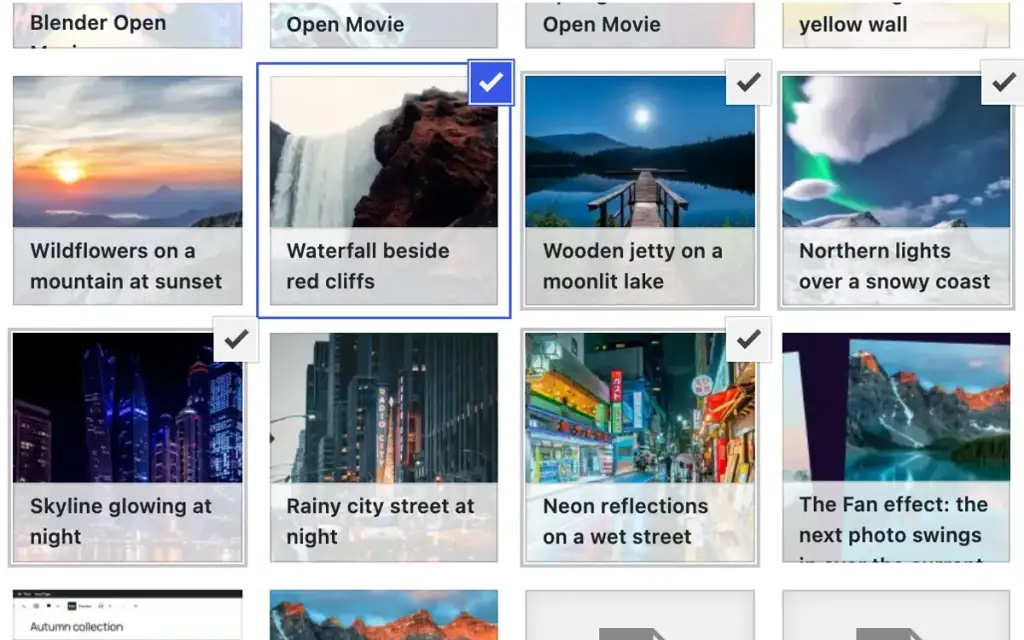
Pick your slides
Choose images or videos from the Media Library, or use colors and gradients for text slides.
3
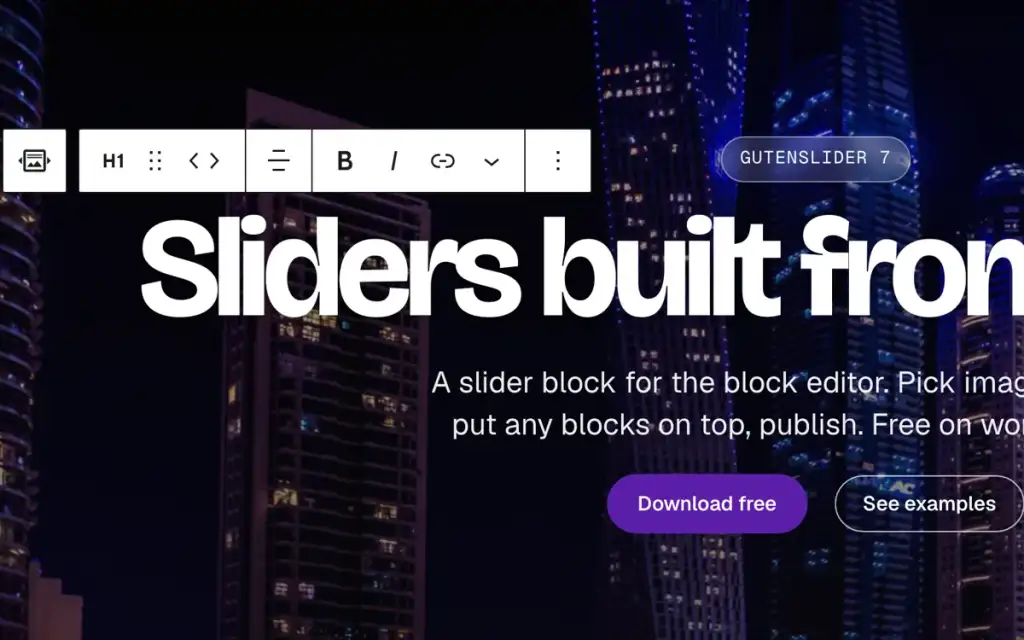
Put blocks on top
Headings, buttons, columns, embeds: one set over all slides, or different content on each.
Features
Everything a slider needs, free.
The free plugin builds complete sliders, with no watermark and no account. Pro adds 3D, shaped and WebGL slide animations, vertical sliders, scroll parallax, animated dots, arrows that follow the pointer and a lightbox zoom.
Slider or carousel
One slide at a time, up to eight per view, or auto width so each slide keeps its own size.
Images, videos, colors
Photos with a focal point, muted video loops with a poster, YouTube videos and playlists or links to video files, colors, gradients, and overlays that keep text readable.
Any block on a slide
Headings, buttons, columns, embeds and blocks from other plugins.
Fixed or changing content
One headline that stays while the photos change, or content per slide.
Responsive settings
Height, slides per view, spacing, arrows and dots for desktop, tablet and phone.
Arrows, dots, autoplay
Eleven arrow styles, dots, loop and autoplay that pauses on hover. Real buttons with labels, and arrow keys.
Shape dividers
Fifteen shapes at the top and bottom, in any color, flipped if you like.
Links to slides
Whole slides as links, and hash navigation that gives each slide an address you can share.
Preview in the editor
Arrows and dots page through the slides while you edit; Preview plays the slider as visitors see it.
Performance
Light on the page.
Version 7.0 is a rebuild of the front end, with page speed as a goal. Measured with Lighthouse on the same pages, 6.1.2 against 7.0.
Lighthouse performance · mobile · the same pages
2.1–3.2s
Largest contentful paint on a throttled phone. 6.1.2: about 3.9 s
0
Layout shift: the layout is rendered on the server. 6.1.2: 0.52
33KB
JavaScript for a basic slider, gzipped: view module, Swiper core and controls. The lightbox loads when it opens. 6.1.2: 41 KB in 12 files, 65 KB in 17 with the lightbox
7.3KB
CSS, gzipped, in one file. 6.1.2: 13–20 KB in 9–13 files
- Loaded when neededSwiper 14 loads when a slider comes near the screen, with only the modules that slider uses: three or four script requests.
- No layout shiftThe slider’s layout is rendered on the server before any script runs, so the page does not jump.
- Images firstThe first slide image loads right away with high priority; the rest load lazily, with sizes that match the slides per view.
- No jQueryThe front end is an Interactivity API module: no jQuery, no lightbox or parallax library. Reduced motion is respected.
FAQ
Questions, answered.
Something missing? The docs cover every setting, the lightbox, custom CSS and the update to 7.0.
Is Gutenslider free?
Yes. The free plugin has everything to build sliders and carousels: image, video, color and gradient slides with overlays, videos from YouTube links (videos and playlists) and video file links, any blocks on top, the same content on all slides or content per slide, 11 arrow styles with positions, dots, slide, fade and flip, transition time, autoplay, shape dividers, a lightbox with thumbnails and captions, and responsive settings. Pro adds 3D, shaped and WebGL effects, parallax, arrows that follow the pointer, numbers, a progress bar and animated dots, lightbox zoom, vertical sliders, videos from YouTube channels, Vimeo, Dailymotion and TikTok, and priority support.
Does it work with my theme?
Gutenslider is a block, so it works in any theme that uses the block editor: block themes and classic themes alike. The slider takes its fonts and button styles from your theme.
Can I put any block on a slide?
Yes. Each slide is a container for blocks: headings, paragraphs, buttons, columns, images, embeds or blocks from other plugins. See fixed vs changing content.
Will my sliders survive the update to 7.0?
Yes. The block names, saved settings and front-end class names stay the same. Sliders saved with 5.x and 6.x render as before and open in the new editor unchanged, without “Attempt recovery”; 22 migration tests cover this. Read Migrating from 6.x to 7.0 before you update a site with custom CSS or code.
What happens to Pro sliders when my license ends?
Your sliders keep working. Everything built with Pro keeps rendering as built, from the dot styles and the lightbox zoom to the 3D, shaped and WebGL effects. Vimeo, Dailymotion and TikTok slides keep playing; only adding new ones from links needs Pro. You stop getting Pro updates, the Pro controls in the editor and support until you renew.
Does a slider slow my page down?
Gutenslider loads its script only when a slider comes near the screen, and only the parts that slider uses; the layout is in the HTML before any script runs, so nothing shifts. The first image loads with high priority, the rest lazily. See the performance notes.
Is Pro free for schools or nonprofits?
Yes. Schools, universities, teachers, students and nonprofits that work for democracy and human rights get Pro for free. See who qualifies and how to ask.
Can I use one license on a staging or local site?
Yes. Freemius, which handles the licenses, does not count local and staging domains such as localhost or *.local against your site limit.
Where do I get help?
Free users: the support forum on wordpress.org. Pro users: priority support by email from the plugin’s admin page.
Free · GPL v2 or later · No account
Build your first slider.
Gutenslider is free. Install it from the plugin directory; Pro adds more effects when you need them.







Also by eedee
Need a gallery, not a slider?
Wisp Gallery makes filterable galleries in the block editor: masonry, justified rows, grid, carousel and accordion, with category filters and a lightbox. It’s free, with a Pro version, and loads 3 KB of JavaScript.