
Slider Revolution is the slider many of us met first, bundled with a theme. It is powerful, it has no free version, and it needs a yearly licence once the theme’s bundled copy runs out of updates. If you build with the block editor, there are free alternatives that cover most of what a slider on a normal website does. Here are the options, and what you give up.
Disclosure: we make Gutenslider, one of the alternatives. Facts about the other plugins come from their own pages and plugin files, checked in October 2026.
Why people look for an alternative
- Price. Slider Revolution licences start at €45 a year for one site (€89 for three, €209 for up to 250). There is no free version.
- Bundled copies. A copy that came with a theme only updates through that theme. When the theme stops updating it, so does the slider.
- Weight. Older versions loaded jQuery and a lot of script. Slider Revolution 7 replaced jQuery with its own engine, which helps; independent tests still show it heavier than simple sliders: in WP Rocket’s test (first published 2024, updated August 2026) it scored 86 on PageSpeed mobile with a 748 KB page.
- Working outside the page. You build in Slider Revolution’s own editor and embed the result, so the slides don’t share your theme’s blocks and styles.
Free alternatives
| Plugin | Built in | Free version covers | Paid from |
|---|---|---|---|
| Gutenslider | The block editor (slides hold blocks) | Slide and fade, carousels, video slides from YouTube links and playlists, lightbox, 11 arrow styles, shape dividers | $29/year or $199 once |
| Smart Slider 3 | Its own layer editor | Layers, 3 slide transitions and 9 background animations, YouTube and Vimeo layers, 15 templates | $49 once |
| Depicter | Its own visual builder | Animated layers, video backgrounds, also popups and banners | $39/year |
| MetaSlider | Its own admin screen | Image slideshows with captions, local video | $39.50/year (sale) |
If you used Slider Revolution for layer animations
Choreographed layers (a heading flies in, then a button, then a shape) are what Slider Revolution is best at. Among free plugins, Smart Slider 3 comes closest: it has a layer editor with free positioning, and its Pro version adds a layer animation builder. Depicter works similarly. Expect to rebuild your sliders; there is no importer between them.
If you used it for a hero or a content slider
Most Slider Revolution sliders on real sites are simpler than the demos: a big photo or video, a heading, a line of text and a button, changing every few seconds. That is exactly what a slider block does, without a separate editor:
- Add the Gutenslider block where the hero should be.
- Add a slide per Slider Revolution slide and set the image or video as its background.
- Type the heading, text and button as normal blocks. They take your theme’s fonts and colors.
- Set the height (for example full screen on desktop, shorter on phones), the effect and autoplay.
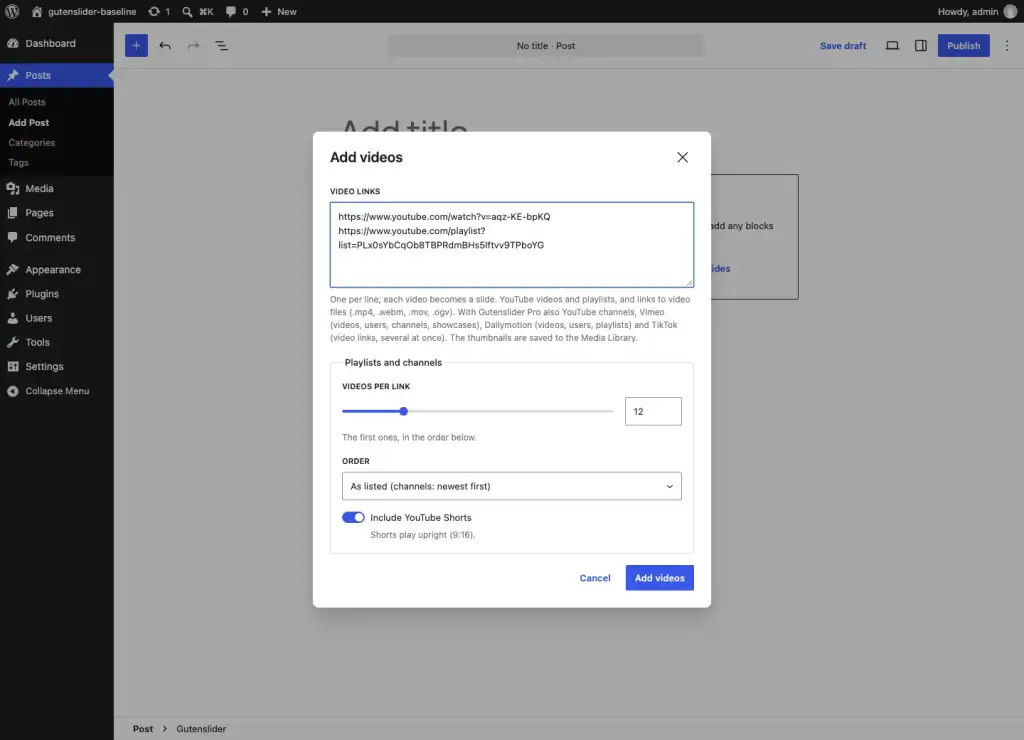
- For a video hero, paste a YouTube link: the video becomes the slide, with its thumbnail as poster.
Gutenslider’s free version has slide, fade and flip; Pro adds 26 new effects, among them WebGL transitions such as Ripple, Liquid and Glitch, which give the “wow” of a Slider Revolution intro without a layer timeline. See them on the examples page.

Speed after the switch
Gutenslider loads about 33 KB of gzipped JavaScript for a basic slider, no jQuery, and only when the slider comes near the screen; the layout is rendered on the server, so nothing jumps. On our test pages it scores 95–99 on mobile Lighthouse. Measure your own page before and after the switch with PageSpeed Insights: the hero is usually the Largest Contentful Paint, so a lighter slider shows up directly in that number.
Removing Slider Revolution cleanly
- Search your pages for the Slider Revolution shortcode or block and replace each with the new slider before you deactivate it.
- Check the theme options: some themes place a Slider Revolution slider in the header outside the page content.
- After deactivating, clear your cache and check that no Slider Revolution scripts are still loaded (in the browser’s developer tools, Network tab, filter for “revslider”).
More on the differences between block sliders: the best slider blocks for the block editor.